What a game is
A game of Spot Together is three pictures with seven differences each, 21 in all. Each picture is drawn from one of sixteen illustrated scenes, from the Sunbeam Cat Café and Fox’s Little Bookshop to Snowflower Lodge and Bunny’s Photo Studio. Each scene has 34 to 48 places that can change, and every new picture picks seven of them at random, so the same scene gives a different puzzle almost every time.
In a friend match each difference is worth one point to the team that claims it first, and the total over three pictures decides the game. In solo practice the result card simply shows how many you found out of 21.
What kinds of change to look for
A difference is always a small change to part of the picture, never one object swapped for another. When it picks the seven, the game tries for a mix: at most two each of missing or added details, colour changes, missing parts and mirror flips, and at most one each of size, position and angle changes. Only if a picture cannot fit seven that way does it relax the mix. I counted the result over 3,200 generated boards:
- A detail that is missing or added: about 29%.
- A colour change: about 28%.
- An object flipped left to right: about 21%.
- Part of an object missing: about 14%.
- A small change of size, position or angle: about 8% together.
Both pictures can be the changed one
The game decides separately for every difference which picture carries the change. In the same 3,200 boards, all but 52 had changes in both pictures. So do not treat one side as the original. A cup that is red on the left and blue on the right tells you nothing about which one was edited, and it does not matter: tapping the spot in either picture counts, because both pictures share the same coordinates.
How a tap is judged
The server, not your browser, decides every tap. Your browser does not receive the location of a difference until someone has found it. Each picture is 600 × 360 units, and every difference has an answer circle measured from the pixels that actually changed, with a radius of at least 22 units. Just over half are exactly 22, and the largest is 49. A radius of 22 is about 7% of the picture’s width across, so you have to tap the change itself, not just the right corner.
Taps less than 0.18 seconds apart are ignored, and a press that moves more than 9 pixels counts as a drag to scroll, not a tap. When two teams tap the same difference, whoever reaches the server first gets it, and the other side sees “Already found. No penalty.”
Mistaps, the lock and the timer
Competitive friend matches have two limits. Each picture has 90 seconds. And if you miss three times within four seconds, your taps are locked for 2.5 seconds; the timer shows the break counting down. A correct find clears your miss count, and tapping a difference that is already found never counts as a miss. The lock is per player, so in 2:2 and 3:3 one teammate’s lock does not stop the others.
A picture ends when all seven are found or the clock runs out, and the next one appears 4.5 seconds later. Differences nobody found by the deadline score for no one, which is how a competitive game can end in a tie. With the friend-room option “No timer or mistap penalties”, a picture only ends when all seven are found, so all 21 points are always handed out and the two teams cannot tie.
Zoom and a scanning order
The + and − buttons zoom from 1× to 3× in half steps, and both pictures zoom together. When you scroll one picture, the other follows, so the two views always show the same area.
Since missing details and colour changes make up more than half of all differences, a first pass at 1× looking only for those finds the most per second. Then look for flips, which show up on things that are not symmetrical, such as a handle, a tail or text on a sign. Zoom to 2× or 3× last, for missing parts and small shifts, and move across the picture in strips so no area is skipped.
Solo practice
Solo practice needs no account. Press “Start a peaceful game” and three pictures follow with no timer and no mistap lock. You can stop with “Take a break” or Escape, and the game also pauses when you switch tabs or open the GameNow menu. Practice lives on the server only while you are connected; if the connection drops, practice ends and you start again from the home screen.
Setting up a friend match
Friend matches need a GameNow sign-in, both to create a room and to join one. Pick 1 : 1, 2 : 2 or 3 : 3, tick “No timer or mistap penalties” if you want the relaxed rules, and press “Create an invitation”. The lobby shows a ten-character code of digits and the letters A–F with “Share invitation” and “Copy link” buttons. A friend can open the link or type the code under “Already have an invitation?”. If they still need to sign in, the invitation is kept and they join the room afterwards.
Teams alternate as people arrive: the host goes to Forest · A, the next player to Sunset · B, and so on. Everyone, including the host, presses “Ready to explore”. The host’s “Start together” button works only when every seat is filled and every player is ready and connected. After the result, only the host can start the next game. A room disappears two minutes after the last player disconnects, and nothing is kept as a permanent record or ranking.
Playing as a team
Every teammate’s find scores for the team, and found spots are marked in both pictures with a circle and the team’s letter, A in green or B in orange. Because locks are per player and found spots cannot be stolen back, splitting the picture works well: in 2:2 one player takes the left half and one the right, and in 3:3 take thirds. Online matches keep running while menus are open, so agree on the split before the countdown ends, not during it.
A dropped connection does not cost you your seat during a match: your slot is kept and the page rejoins the room. Opening the game in a second tab with the same account disconnects the first one.
Controls beyond tapping
“Cursor controls” shows an on-screen stick and a “Spot here” button for players who find small taps hard. With a gamepad, the left stick moves the cursor, the right stick scrolls a zoomed picture, A taps, B pauses solo practice and Select opens the GameNow menu. The screen text is in Korean and English; other portal languages show the English screens, while the shared controls guide is available in all five portal languages.
Common mistakes
Most lost points come from a few habits, and each has a cause in the rules above.
- Tapping near a difference instead of on it. Half of all answer circles have a radius of only 22 units in a picture 600 units wide.
- Tapping fast across an area to fish for answers. Three misses in four seconds lock you for 2.5 seconds, which costs more than a careful look.
- Searching only one picture for the changes. Almost every board has changes in both.
- Zooming in at the start. Most differences are colour and missing-detail changes that are easier to catch at 1×.
Play it yourself
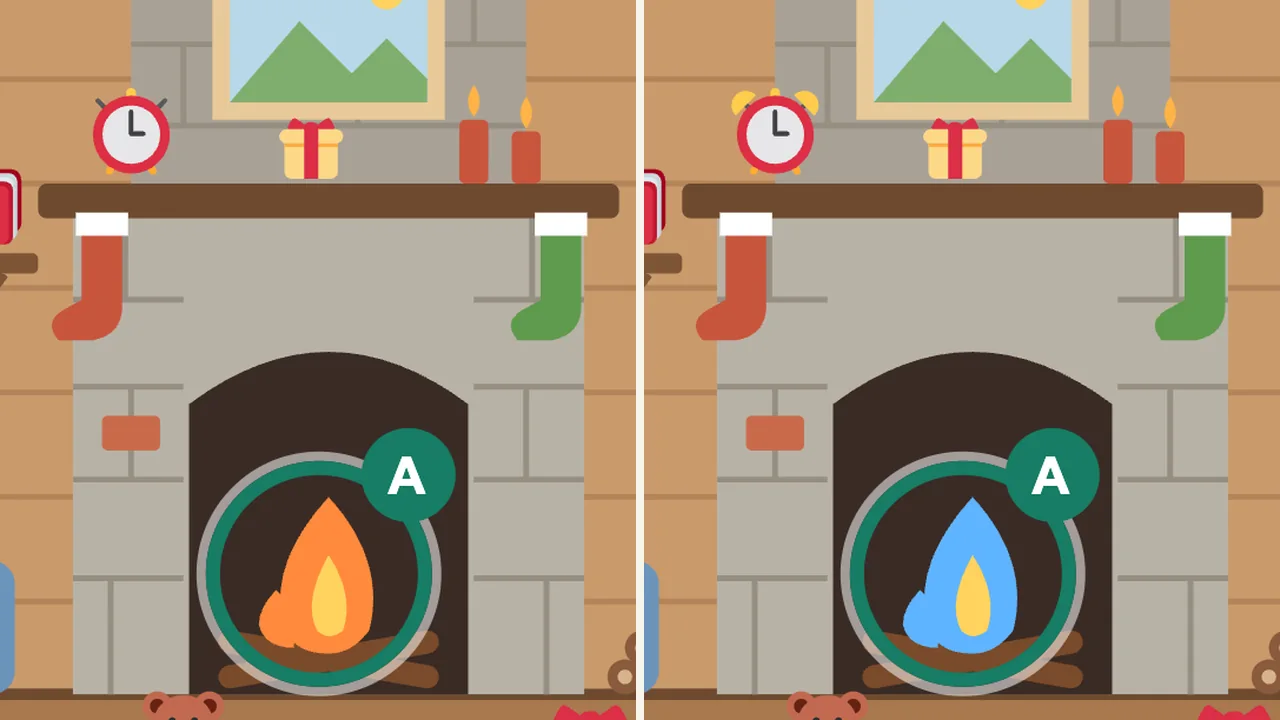
Spot Together
Small differences, shared discoveries. Race friends in 1v1, 2v2 or 3v3 teams, or relax with untimed practice. Big pictures and 3× zoom.