Where these numbers come from
One-Button Dash runs its physics in fixed steps of 1/120 of a second, and the server reruns ranked runs with the same file, so every figure below either comes from that file or from running it. One tile on screen is one metre, and the score is distance in 10 cm units.
Speed grows with distance, not with time. In running time that puts 100 m at 13.6 seconds, 500 m at 58, top speed at 97 seconds and 2,000 m at about 2 minutes 50. The 🎯 goals in the HUD sit at 50, 100, 200, 300, 500, 750 and 1,000 m, then every 500 m, and the best goal you have passed is shown on the menu.
What a longer hold buys
Every jump leaves the ground at the same speed. While the button stays down, for at most 30 steps (0.25 s), gravity is 28 instead of 72, so the hold decides the whole arc. Measured on flat ground, with the distance covered at the starting speed and at top speed:
- Bare tap: 1.7 tiles high, 0.43 s in the air, 3.0 tiles forward at the start, 6.1 at top speed.
- 0.1 s hold: 2.5 tiles, 0.54 s, 3.8 and 7.6 tiles.
- 0.2 s hold: 3.2 tiles, 0.63 s, 4.4 and 8.9 tiles.
- 0.25 s or longer: 3.4 tiles, 0.68 s, 4.7 and 9.5 tiles.
Why a longer hold is usually the safer jump
The number that decides whether you survive is the press window: the span of time during which a press still carries you over. For every obstacle the latest press that works comes when the front of the runner is about 0.2 tiles from it at the start, 0.4 at top speed. A longer hold moves the earliest working press further back, so the window grows:
- One spike at the start: 146 ms for a tap, 255 ms for a 0.1 s hold, 395 ms for a full hold.
- Two spikes at the start: 14 ms for a tap, which is practically impossible, against 120 ms and 263 ms.
- Three spikes, which appear once the speed passes 7.6 m/s at about 90 m: 32 ms for a tap at 490 m and 116 ms at top speed, against 282 ms and 364 ms for a full hold.
- A one-tile block: about 272 ms for a tap at any speed. A two-tile block cannot be cleared by a tap at all; a 0.1 s hold gives 224 ms and a full hold 406 ms.
Gaps, pits and platforms
Gaps widen with speed: two or three tiles until about 317 m, up to four from there, five from 641 m and six from 965 m. You can still jump for 10 steps (0.083 s) after running off an edge, about 0.6 tiles at the start and a full tile at top speed, so a late press over a gap is safer than a late press at a spike. A six-tile gap at top speed leaves a tap 130 ms and a full hold 371 ms.
Wide pits that need two jumps have a thin platform 1.3 to 1.5 tiles up in the middle; Pit Bridges zones add bridges with two such platforms. They are one-way: you can jump up through them from below and land on top. Each half of the pit grows from two tiles at the start to five at top speed, so land, release, and press again at once.
Saws: the peak is what hits
A low saw sits 0.7 tiles up. Jump over it like a spike, and hold: its window is 87 ms for a tap at the start and 353 ms for a full hold.
The high saw over a spike is where the ‘Quick tap!’ sign appears. Holds of up to 0.2 s never touched it in any of my measurements. A full hold hits it only when the top of the arc lands under the saw, which is why it sometimes seems to work: it halves the window at the start, from 358 ms with a 0.2 s hold to 179 ms. The widest window belongs to a medium press of about 0.15 to 0.2 s, roughly twice a bare tap’s 148 ms.
Saw Forest also builds saw pairs: one low saw and one high saw over a spike, in either order with equal odds, about one second apart. That is one long press and one medium press, and you cannot know the order until the pair is on screen.
Rhythm sets and zones
In a spike rhythm or pillar run the obstacles are spaced by 0.8 seconds of running plus a couple of tiles: 8 tiles apart at the start (1.14 s) and 14 at top speed (1.0 s). The beat barely changes as you speed up, so once you have the first press, keep the same interval. Runs of three spikes or pillars appear from 480 m and 360 m.
The first zone gate comes at 160 to 180 m. Across 300 generated courses a zone averaged 141 m (80% between 102 and 183 m), about seven gates in the first 1,000 m. Inside a zone, plain flat ground thins as you approach the end, so the densest stretch is just before the rest, a flat break of 11 tiles at the start and 19 at top speed. Each gate shows the zone name and a tip: ‘Tap, tap, tap to the beat’, ‘Short taps under high saws’, ‘Step on the platforms’ or ‘Hold for tall blocks’.
Crossing a gate of each of the four themes fills the journey journal, ‘Bring the path lights back’, which keeps its four lights on this device across runs. In those 300 courses a single run had passed all four themes by a median of 750 m.
A first run, step by step
On a first visit, the big ‘Quick start’ button opens a Practice Run. The first 150 m hold only spikes, gaps, blocks, low saws, platforms and short spike or pillar rhythms; stairs, high and moving saws, spiked blocks, saw pairs, bridges and pit-then-spike sets wait until after the first rest.
For the first few runs, hold for everything except a saw hanging overhead, and watch where you press rather than how long. In Practice Run the readout at the bottom left shows each press to 0.01 s, which is enough to learn what 0.2 s feels like before the first high saw arrives.
Reading a crash
The cause appears where you stopped (‘Hit a wall’, ‘Spiked’, ‘Sawed’ or ‘Fell’), and the results add the top speed reached and the change from your previous best. ‘Last 2 seconds’ replays the end slowly, with the collision area outlined and blue bars where the button was held.
Some crashes add one line of advice. After a spike crash in which the runner stayed on the ground for its last half second, it says ‘Jump closer to the spikes. Hold to travel farther.’, usually a sign of an early tap that landed short. After a saw crash it names the kind of saw; the high-saw advice appears only if you held for 0.16 s or more.
‘Practice last section’ offers two restart points: the nearer one at least 1.2 seconds of running before the crash and one second earlier in time, and an earlier one 2.2 seconds back. When the crash came inside a rhythm set, pick the earlier one, because the mistake was often the press before.
Common mistakes and why they happen
- Keeping the button down after landing. Holding never repeats a jump, so a held button on landing is a lost jump.
- Tapping by habit. A tap has the narrowest window for everything except the high saw.
- Holding fully under a high saw because it worked once. It only fails when the peak lines up with the saw, which makes it look random.
- Pressing for flat-ground stars right before an obstacle. Stars never change distance, and the extra airtime moves your next landing.
- Pressing again straight after a pause. The press that resumes does not jump; the run continues after a 3-2-1 count.
Alone, against ghosts, and with friends
Every ghost replays recorded presses on the same physics, so its takeoff points are real: watching where a better run leaves the ground shows you where to press. Ghosts that drift off screen are marked at the edge with a name and how far ahead or behind they are.
In Practice Run your best on the current course runs as a sky-blue ghost, but that record lives only in the open tab, for the last eight courses. On Today’s Course your day’s best is kept on this device for your account, and the #1 run joins as a gold ghost when someone else holds it. A friend challenge puts your pink ghost on the same course for your friend, so the two of you are comparing presses on identical obstacles.
Play it yourself
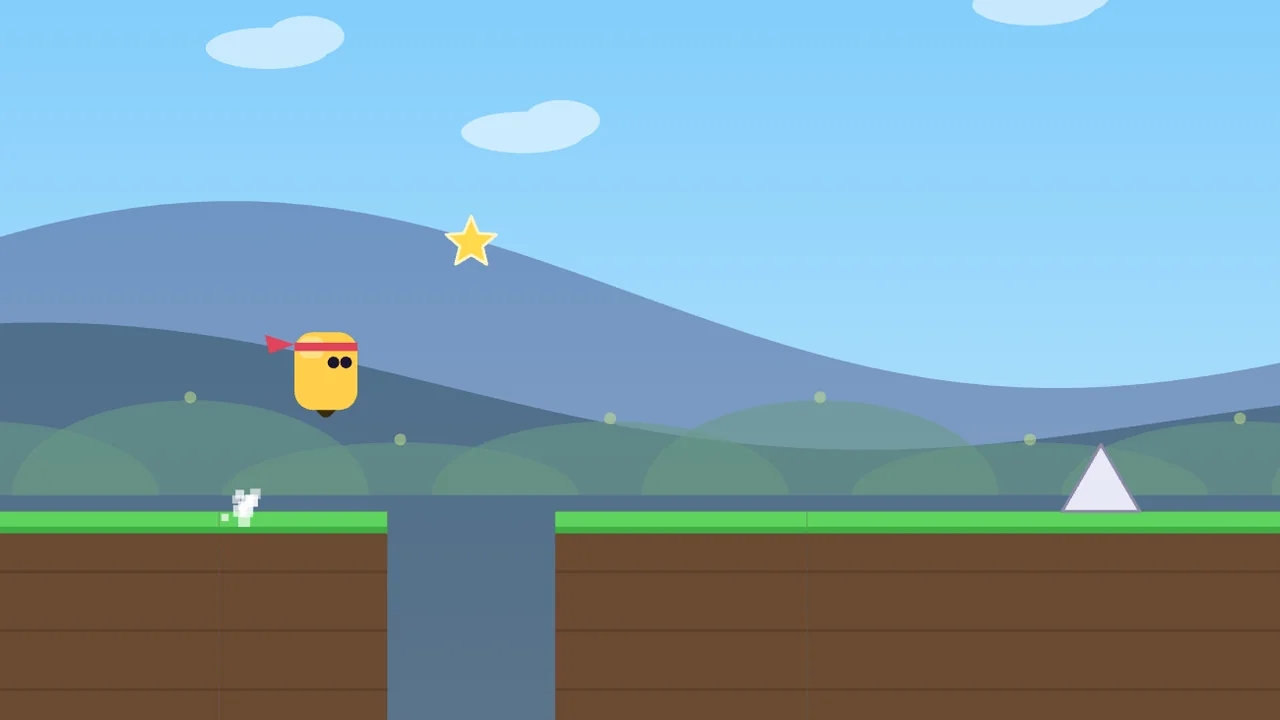
One-Button Dash
Jump with one button, no account needed. Beat a friend on the same course.