
What is it?
Trap opposing discs between yours to flip them. Secure corners and restrict legal moves to finish with the most discs.
Play free in your browser without installation. Solo practice needs no account; sign in with your GameNow account for online matches, rankings and friends.
Learn the othello board game online at your own pace: five AI levels from Beginner to Master, no clock in practice, and a move review that jumps back to the moment you gave up a corner. When you want people, sign in for othello online with friends via invite codes, or watch live games to sharpen your othello strategy.
GameNow Othello keeps the standard rules and scores games the way tournaments do. If a game stops with empty squares because neither side can move, those squares go to the winner, and a resignation, a loss on time or an opponent who never comes back is scored 64–0, whatever the board showed.
Online games run on a server clock borrowed from chess: five minutes each, five seconds back after every move, and no single move longer than 45 seconds. The clock of the player to move counts down to whichever deadline comes first, the same moment the server calls time.
Solo play is built for learning. The five AI levels differ in how far they read, how often they play a random legal move and when they start calculating the endgame exactly. Practice adds a move preview, Undo and a move review that marks corners, passes and conceded corners on a timeline. Today's board gives every signed-in player the same AI opponent for the day and ranks the final disc margin once the server has replayed the game.
Gameplay video and screens
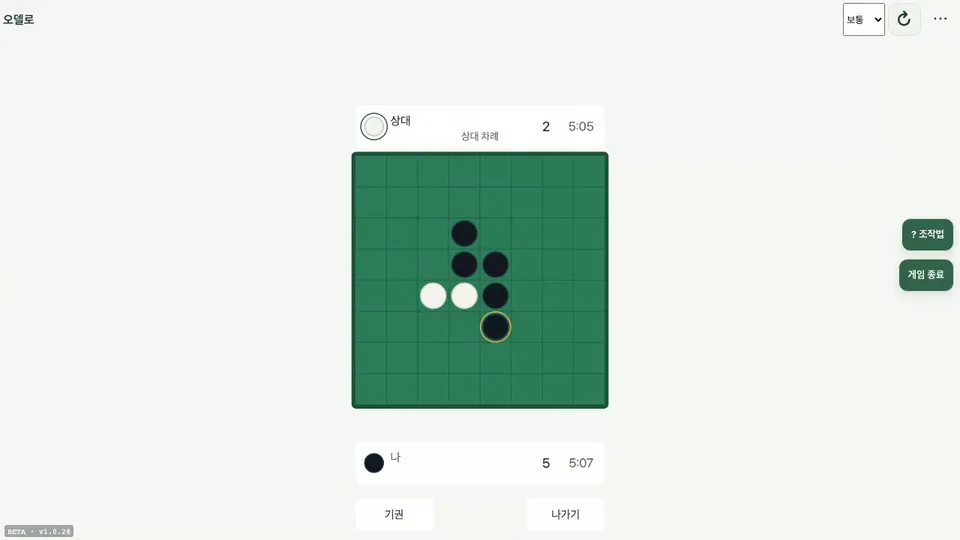
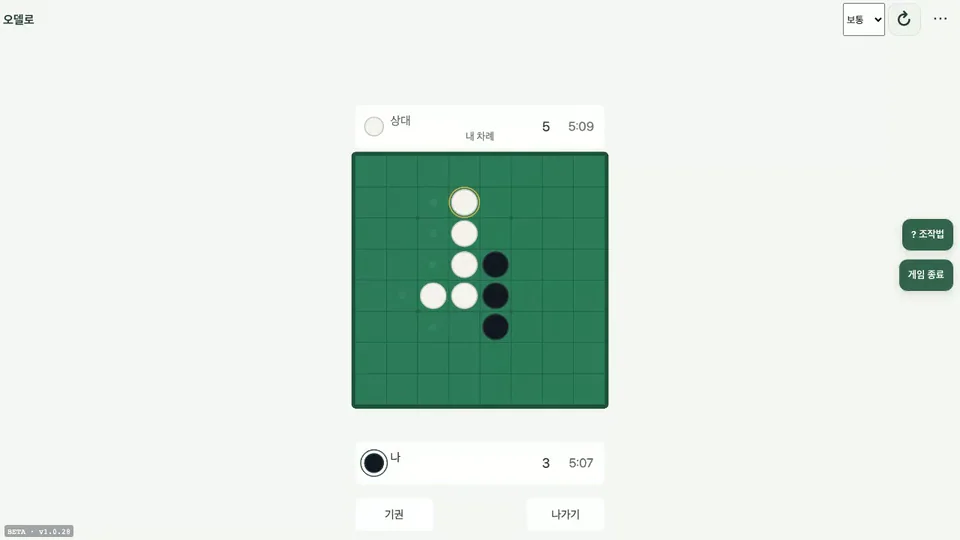
How to play
- Pick a level (Beginner to Master) to practice against the AI. Signed out, choosing one in the level box at the top starts a new game at once; signed in, pick it in the lobby's Solo section and press Start practice. To play a person, sign in and press Find opponent.
- Black moves first. In practice you play Black.
- On your turn, press a highlighted cell to place a disc; every trapped opposing disc flips. In practice and Today's board, Preview is on by default: on touch, the first tap shows the flips and a second tap places (with a mouse, hover to preview and click to place). Unmarked cells are not legal.
- With no legal move your turn passes automatically and a 'passed' notice appears in the middle of the screen. When neither side can move, the game ends and discs are counted.
- In practice, Undo takes back your last move (and the AI's reply), and there is no time limit, so ∞ shows instead of a clock. At the end, press Play again (Enter) or leave (Esc — 'Other games' when signed out) on the result screen.
Modes
- Solo
- Choose Beginner to Master and play Black against the AI on your own device, with no clock, Undo, and the move preview on by default. It is the only mode that works without an account.
- Today's board
- Signed-in players get one AI opponent per day, set to Easy, Normal or Hard by the date; the day turns over at midnight Korea time (15:00 UTC). Undo is off, and your best margin of the day is ranked, top 20 shown.
- VS PLAYER
- Two signed-in players meet through Find opponent, a 10-minute invite code or a Challenge; the match seed decides who plays Black. Both use the online clock, and the result screen leads back to the lobby.
- Live matches
- Running online games are listed in the lobby with how long they have been going. Watch opens one read-only, labelled Black and White instead of Me and Opponent, with no Resign button.
- Practice from here
- From the move review, or the result screen's 'Replay from the corner you gave up', you continue a past position as Black against the Normal AI. A line at the top compares your new line with the original by discs, corners and legal moves.
Good to know
- Corner discs can never be flipped. Cells right next to a corner tend to hand the corner to your opponent.
- Online games have a thinking-time clock. Practice games have no time loss.
- Today's board pits you against the day's AI and ranks your disc lead. You can also watch live games from the lobby.
At a glance
- Genre
- Strategy
- Players
- 1–2
- Price
- Free
- Available languages
- Korean · English · Japanese · Chinese · Spanish
- Platform
- Web browser (no install)
More on the game site
Further reading
Page updated: · See the update log