
What is it?
100 nonogram puzzles, a daily leaderboard and friendly 1v1 races.
All 100 nonograms are open from the start, 5×5 to 15×15, so you can play nonograms online free at your own pace. Each solves by line logic alone, no guessing, and hints point to evidence in your own marks. The nonogram daily challenge is one shared 10×10 timed by the server, and friend races add nonogram multiplayer.
NEMO's 100 pictures were drawn by hand, and each has its own name and colour: when the last cell is filled, the picture takes on that colour and its name appears. There are 20 per difficulty, from 5×5 Intro through 8×8, 10×10 and 12×12 to 15×15 Expert, all open from the start. A picture only became a puzzle once a line solver could finish it from the clues alone, one row or column at a time and without guessing, which also proves it has exactly one answer.
Solo play runs in your browser. The clock waits for your first mark, the hint reasons from your own marks instead of revealing the answer, and each picture holds up to three stars. The daily puzzle and the 1v1 race run on the server, which keeps the solutions, measures the time and decides who finished first.
Gameplay video and screens
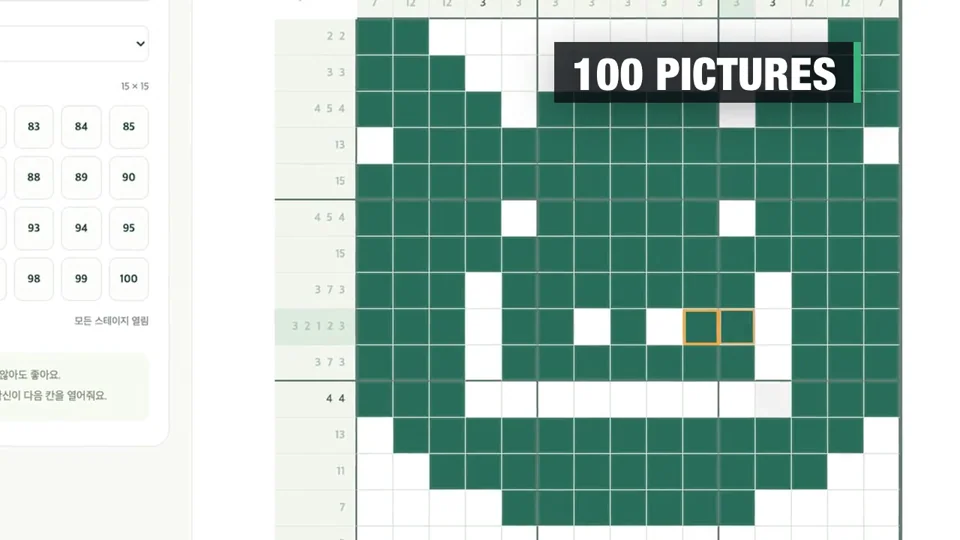
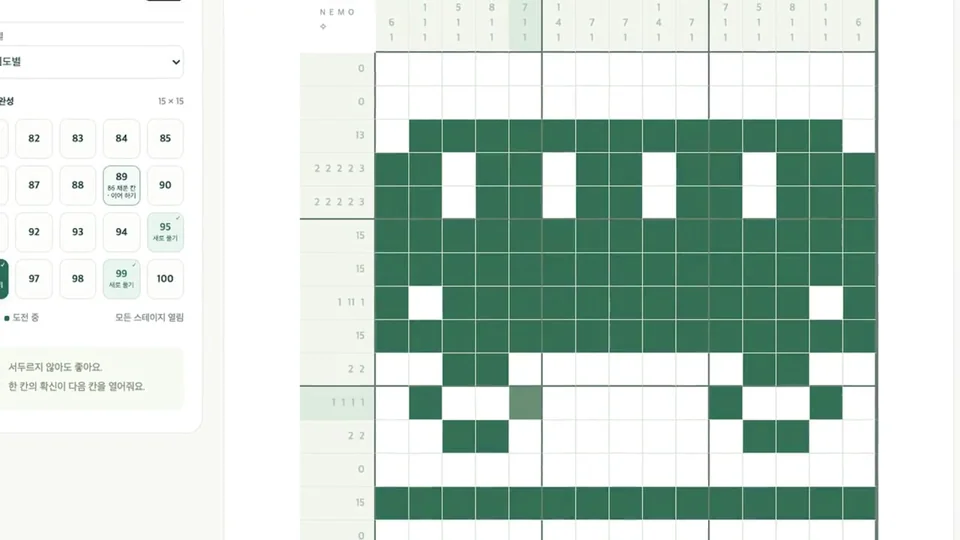
How to play
- Use row and column clues to fill runs of cells. Leave at least one blank between runs.
- Choose fill, cross or erase, then drag. To move around large puzzles, turn on Move and swipe on a touch screen, or use the mouse wheel or scrollbars on a PC.
- Join the daily leaderboard, or share a room code for a 1v1 race.
Modes
- Stages
- Solo play through the 100 pictures in any order, with hints, pause, restart and undo. Finishing earns ★, without hints ★★, and without hints inside the picture's target time ★★★.
- Daily
- One 10×10 picture for everyone, chosen by date from the 20 Normal stages (41–60) and replaced at midnight Korea time. There are no hints, pause or restart; the server's clock starts when you press Start, and each browser gets one run a day.
- Friend race
- Two players join a room by its 6-character code and get the same random picture from the chosen tier, Easy to Expert. Play starts 3 seconds after both press Ready; the first complete board wins, and leaving mid-race concedes.
- Picture book
- Every picture you finished in Stages, the daily or a won race, with a map of which rows and columns you solved yourself and which a hint helped, plus goal replays: no hints, or beat your no-hint best.
Controls
| Action | Mouse & keyboard | Touch |
|---|---|---|
| Fill a cell or a run | Fill tool (F); click, or drag in any direction | Tap, or drag; the first direction locks the row or column |
| Mark a cell empty (×) | Right-click or right-drag, or the Cross tool (X) | Cross tool, then tap or drag |
| Clear marks | Erase tool (E), Backspace or Delete | Erase tool |
| Solve by keyboard | Arrow keys move; Space or Enter applies the tool | — |
| Undo / redo | ↶ ↷, Ctrl/⌘+Z, Ctrl/⌘+Y or Ctrl/⌘+Shift+Z | ↶ ↷ buttons |
| Look around a large board | − / + zoom (80–180%); scroll the board | Two-finger drag, or Move, then Mark to return |
| Hint (Stages only) | ✧ Hint, then Apply one square | Same buttons |
| Pause (Stages only) | Ⅱ, or hide the tab | Ⅱ, or leave the browser |
Good to know
- Stage progress is saved in this browser. Online records use a browser session.
Strategy tips
Read before the first mark
The Stages clock stays at 00:00 until your first stroke, and it stops while paused or while another tab such as Ranking is open. Finding overlaps before you touch the grid costs nothing against the three-star target.
Know the three-star target
It is 1.6 seconds per cell plus 1.5 seconds per clue number, rounded up to 15 seconds: 1:00–1:15 on Intro, 2:15–2:30 on Easy, 3:30–4:00 on Normal, 4:45–5:45 on Hard and 7:15–8:45 on Expert. Stars come from your best saved runs, so a slower replay or a Restart never removes one.
A hint counts only when applied
Hint shows a line, how many of its arrangements still fit your marks, and the cell they all agree on. The hint count, which decides the second and third stars, rises only when you press Apply one square.
Let Hint find your mistake
Hint runs line logic forward from your marks. If some line can no longer be satisfied, it names that line and lists up to eight of your recent strokes on it; you can preview undoing one, or clearing the line, before confirming.
Crosses settle numbers sooner
A clue number fades once every arrangement your fills and crosses allow puts that block in one place, and a line whose fills match its clue is struck through, with dots in its blanks. Crosses are never needed to finish, but they rule out arrangements, so numbers fade earlier.
Strokes that count and erase
While you drag, a badge shows the stroke's length, so on 15×15 boards you can stop at the right cell without counting. A stroke that starts on a cell already holding the current tool's mark erases everything it passes over.
Start the daily with time to spare
Its clock runs on the server from the moment you press Start and keeps going if you close the page; there is no pause. Reopening it the same day restores your board, and undo still works.
At a glance
- Genre
- Puzzles & cards
- Players
- 1–2
- Price
- Free
- Available languages
- Korean · English · Japanese · Chinese · Spanish
- Platform
- Web browser (no install)
- Mobile
- Touch drag, row/column locking, zoom and pan
Developer notes
Pictures first, then proof
Puzzles are generated from hand-drawn grids, not random cells, so a name always matches its image. The generator rejects a picture of the wrong size, a repeated picture or name, a fill under 22% or over 83% of the grid, or anything line-by-line logic cannot finish. By my count from the puzzle data, 11 Intro pictures and two each on Normal and Hard fall in one sweep of rows then columns, while Expert pictures need two to eight sweeps.
The answer stays on the server
The browser receives only the clues; the solutions stay on the server, which judges the daily and races. So the hint reasons from your marks, and the Picture book draws pictures by solving the clues. Public clues mean an automatic solver cannot be blocked outright, so the server raises the cost: one request carries at most one line's worth of cells, runs are timed on the server's clock, and a finish with fewer changed cells than the picture's filled cells, or under 0.2 seconds per filled cell (7.2–15.2 seconds on daily boards), is marked unverified.
One ranked solve per network
Clearing cookies makes a new player, so a daily finish also stores a 16-character hash of your IP address mixed with a random value for that day, which is deleted when the day ends. A second finish from the same hash that day becomes a personal record. People sharing a home, school or mobile network get one ranked entry a day between them, and no browser fingerprinting is used.
Rewards that wait for the picture
The finishing wave crosses the board diagonally within 0.72 seconds even on 15×15, and the result window opens only after the wave and the name have shown. On phones that delay also stops the finger that placed the last cell from hitting the newly opened Next picture button. Stars reuse the best times you have saved, so no new save data was needed.
Update history
- Finished stages show a coloured thumbnail and up to three stars, each difficulty shows how many of its 20 you have solved, and a colour wave plays before the result window, which lists the star conditions and the next unsolved picture.
- Dragging shows the stroke's length with rising notes. On touch screens the highlighted clues follow the line your stroke is locked to, and a stroke cut off by the system is rolled back.
- Added the Picture book: finished pictures, which lines you solved yourself or with a hint, records by mode and hint use, and goal replays.
- Solved lines are struck through as well as recoloured, and the solo result compares your time with your best on that picture.
- The daily ranking lists only server-timed, verified solves; a second solve from one network that day becomes a personal record, and a race finished impossibly fast has no winner.
Questions and answers
When does the daily puzzle change, and is it a new picture?
At midnight Korea time (UTC+9). It is one of the 20 Normal pictures, stages 41–60, chosen from the date, and everyone gets the same one.
Why does my daily time say 'personal record'?
The server could not verify it (fewer changed cells than the picture's filled cells, or under 0.2 seconds per filled cell), or someone on your network was already ranked today. Your time still appears below the list, which shows the top 50.
Do daily solves and race wins count toward the 100 and the stars?
No, those count Stages runs only. A finished daily or a won race does add that picture to the Picture book under its own mode.
Can I choose my nickname?
No. The server assigns one per browser: a colour or nature word, an animal and a four-character code, such as Mint Rabbit·1a2b, translated into your language. It is tied to a browser cookie, not an account.
What if I lose connection or reload during a race?
Each stroke is sent up to three times, then a Reconnect button resends your whole board. Reloading the same tab returns you to the room with the board the server kept. Rooms close two hours after they are created.
Further reading
Page updated: · See the update log