
What is it?
Parcel Rush is a co-op party game in the spirit of Overcooked. Two to four players have 150 seconds to sort parcels into the chute with the matching color and symbol — and throw them to pass.
Alone? Practice with a robot teammate. Then chase a team record in today’s warehouse.
If you enjoy games like Overcooked, Parcel Rush moves that teamwork into a warehouse: a delivery game where clean passes matter as much as fast hands. Open a private room and share the invite link, since it is one of those free browser games to play with friends, or split into two teams and race to a target score.
Parcel Rush is a real-time warehouse game built on one action button. Empty-handed, it grabs the nearest parcel within reach just in front of you; carrying, it throws the way you face. A thrown parcel slides about four tiles (a big box about 1.6), bounces off plain walls, drops into any chute it reaches and is caught by the first empty-handed player it passes within half a tile of.
Co-op rounds use four maps: Depot, Loop Belt, Split and Pass-through. Parcels arrive faster as the clock runs down, rush hour runs from 1:30 to 1:00 on the clock, two warehouse incidents strike mid-round after a three-second warning, and the last 25 seconds are a final rush. A parcel that went through two or more players’ hands earns a +5 relay bonus when sorted.
Versus puts two teams of one to three on either side of one shared belt, racing to a target score.
Gameplay video and screens
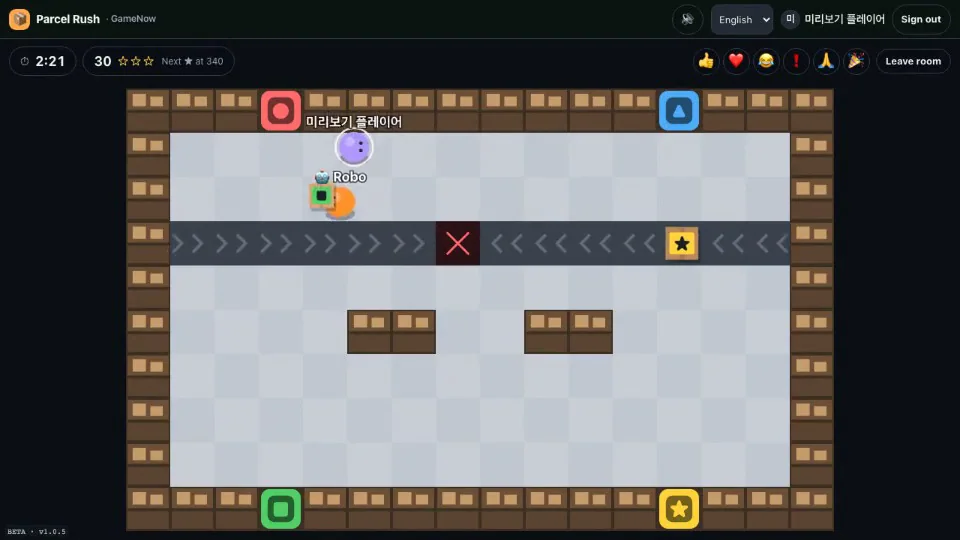
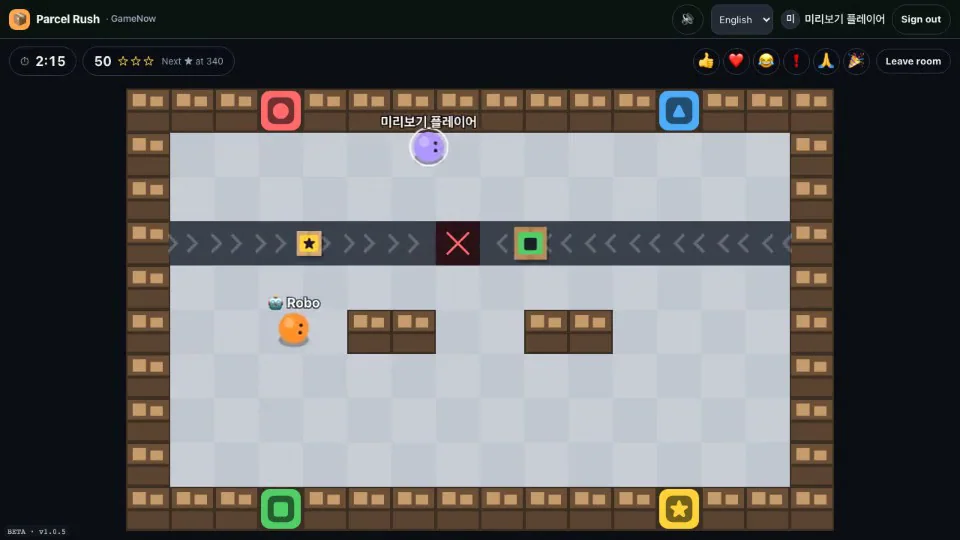
How to play
- Pick 'Solo Practice' on the menu to start a free practice round right away with one robot teammate, or '1:1 Versus Practice' to face a robot. Neither needs sign-in.
- Move with WASD or the arrow keys and stand in front of a parcel on the belt. On phones, press and drag on the left side for a joystick.
- Empty-handed, press Space or J (✋ on phones) to pick up; press again while carrying to throw where you face.
- Throw at the chute with the parcel's color and symbol to drop it in: +10 if it matches, −5 if wrong, −5 if it falls off the belt end.
- An empty-handed teammate catches thrown parcels. Pass to teammates to cover far-away chutes.
Modes
- Solo Practice
- You and one robot teammate in a private free round that starts at once, no sign-in needed. With no other human in the room, opening the leave menu or switching windows pauses the round.
- 1:1 Versus Practice
- A Versus round against one robot on Team B, started in one click without signing in; it pauses like Solo Practice.
- Quick Join
- Joins a public room still in its lobby with a free seat, or opens a new public room and waits. Sign-in required.
- Room with Friends
- A private room joined by code or invite link. The host adds robots, switches between 🤝 Co-op (up to 4) and ⚔️ Versus (up to 6) and starts each round. Late arrivals play from the next round, and a robot gives up its seat when a person joins a full lobby.
- Today’s Warehouse
- A signed-in host starts it from a co-op lobby; the map, parcel sequence and both incidents come from the UTC date. Robot-free teams finishing above 0 are ranked by team size, and everyone present at the end is credited.
- Versus
- The host splits the room into Team A and Team B, up to three each; teams must be equal to start. First to 200 (1:1), 300 (2:2) or 400 (3:3) wins at once; otherwise the higher score after 180 seconds wins, a tie is a draw, and a team that empties out loses by walkover. No incidents, relay or final-rush bonus, and no ranking.
Good to know
- ⏱ Express parcels give +10 if sorted within 25 seconds; big boxes are heavy but worth +5 more. 60–90 s is rush hour.
- Quick Join drops you into an open room; 'Room with Friends' gathers 2–4 players (up to 6 in Versus) with a 4-character code or invite link.
- Today's warehouse is ranked by team size. Rounds with robots, and free practice, are not ranked.
- Every color also has a symbol (● ▲ ■ ★), so you can match by symbol if colors are hard to tell apart.
At a glance
- Genre
- Party
- Players
- 1–6
- Price
- Free
- Available languages
- Korean · English · Japanese · Chinese · Spanish
- Platform
- Web browser (no install)
Further reading
Page updated: · See the update log